Inspection, quote and customer approval — in one app.
WorkMark gives HVAC technicians and companies a single place to run the inspection checklist (commercial or residential), send customers a quote with options, and get their choice back the moment they tap it — no paper reports, no re-typing into your CRM.
Everything the field needs, nothing it doesn't.
Fits any HVAC business — residential service, commercial contracts, or a shop that runs mostly home warranty work. Every screen below is the actual app.
A real HVAC checklist, not a generic form
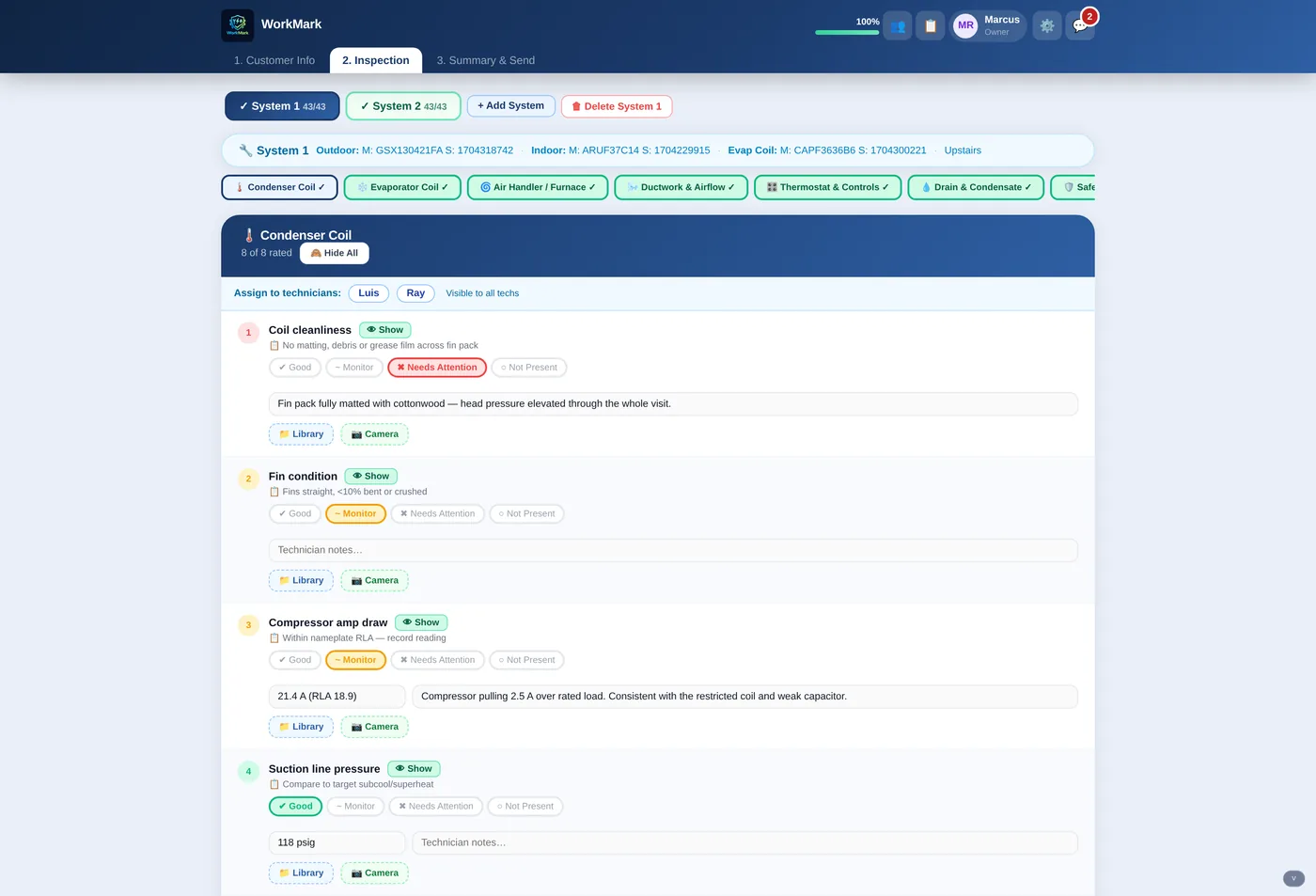
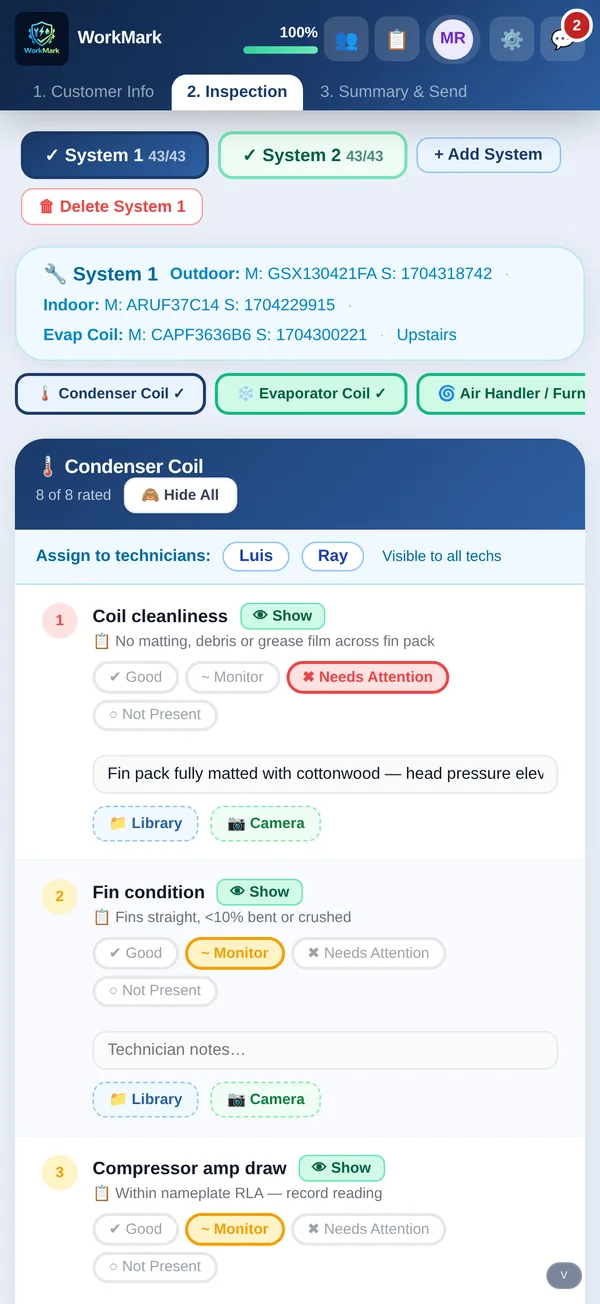
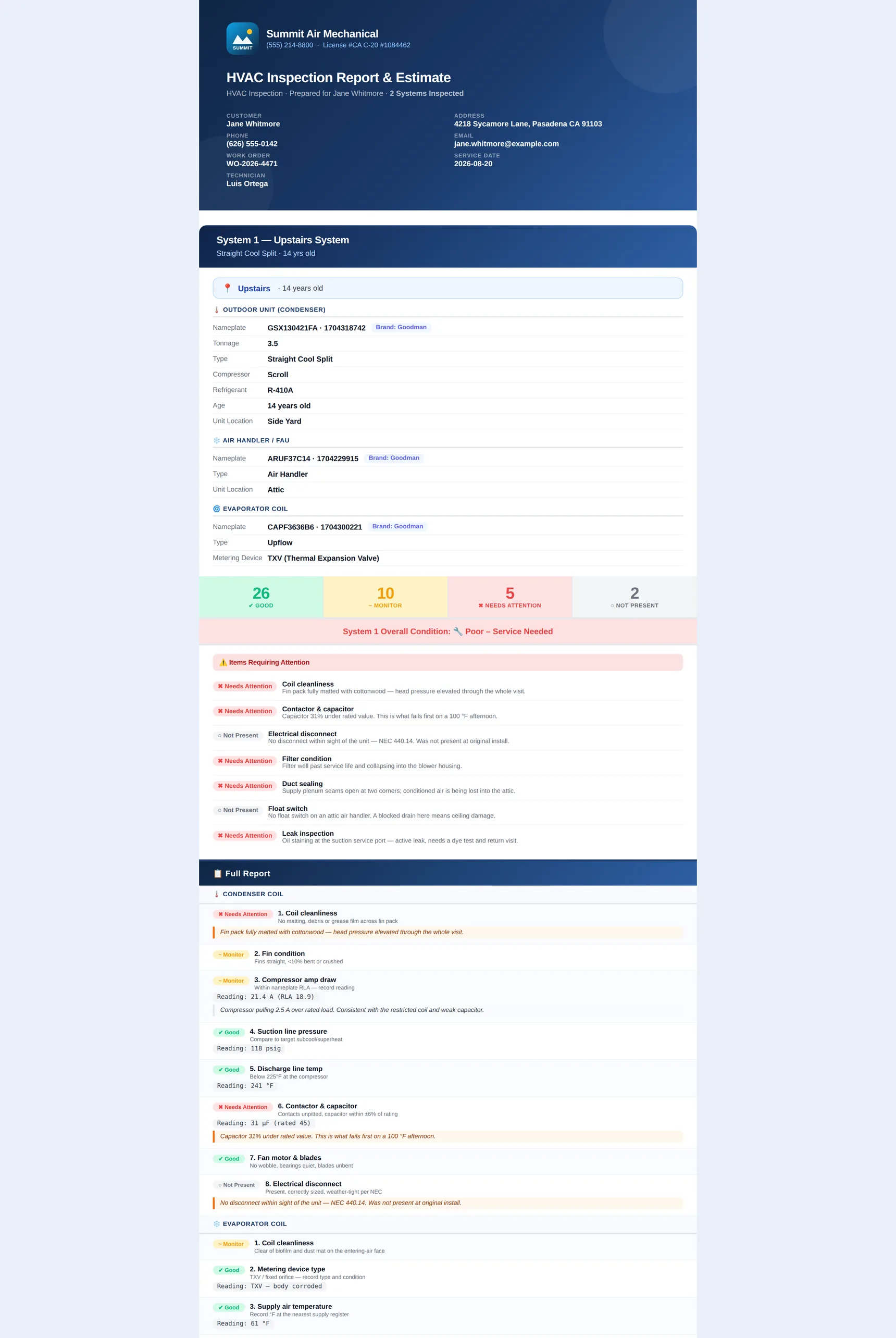
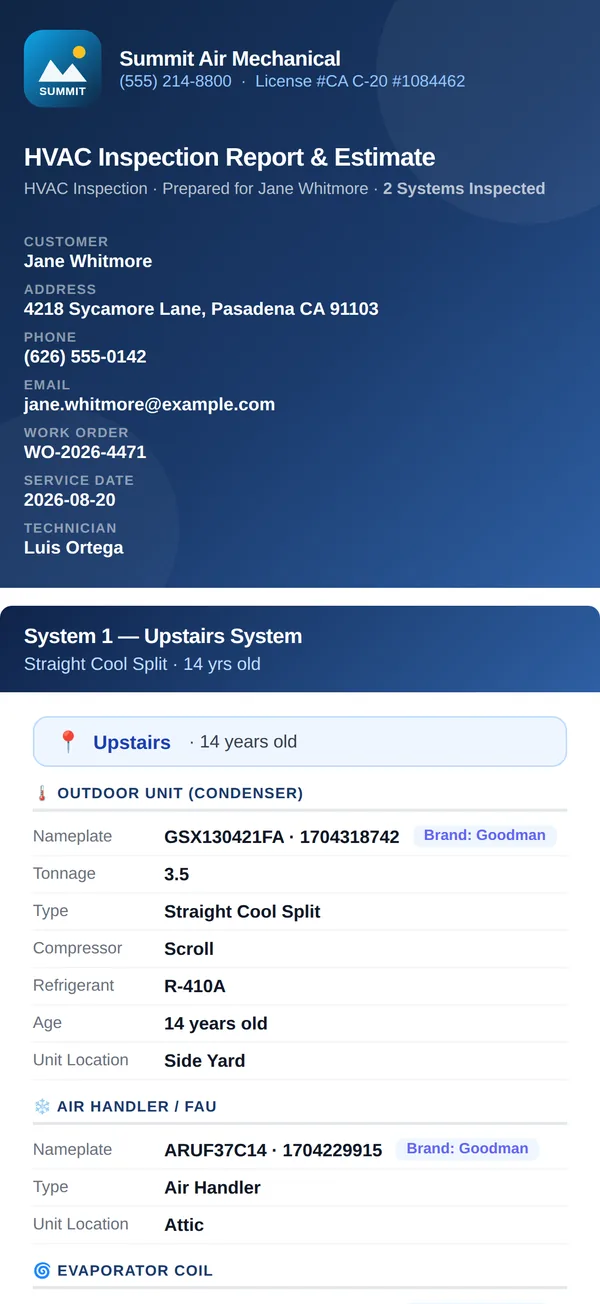
Condenser coil, evaporator, air handler, ductwork, thermostat, drain, safety — every section with its own items. Rate each one Good, Monitor, Needs Attention or Not Present, drop in the reading, and attach a photo from the camera or your library.
- Fully configurable — rename sections, add or drop items, set your own rating labels
- Reading fields where they matter — amp draw, psig, superheat, subcool
- Multiple systems per address, tracked separately
- Assign sections to the tech who is actually on that unit
Repair vs. replace, side by side
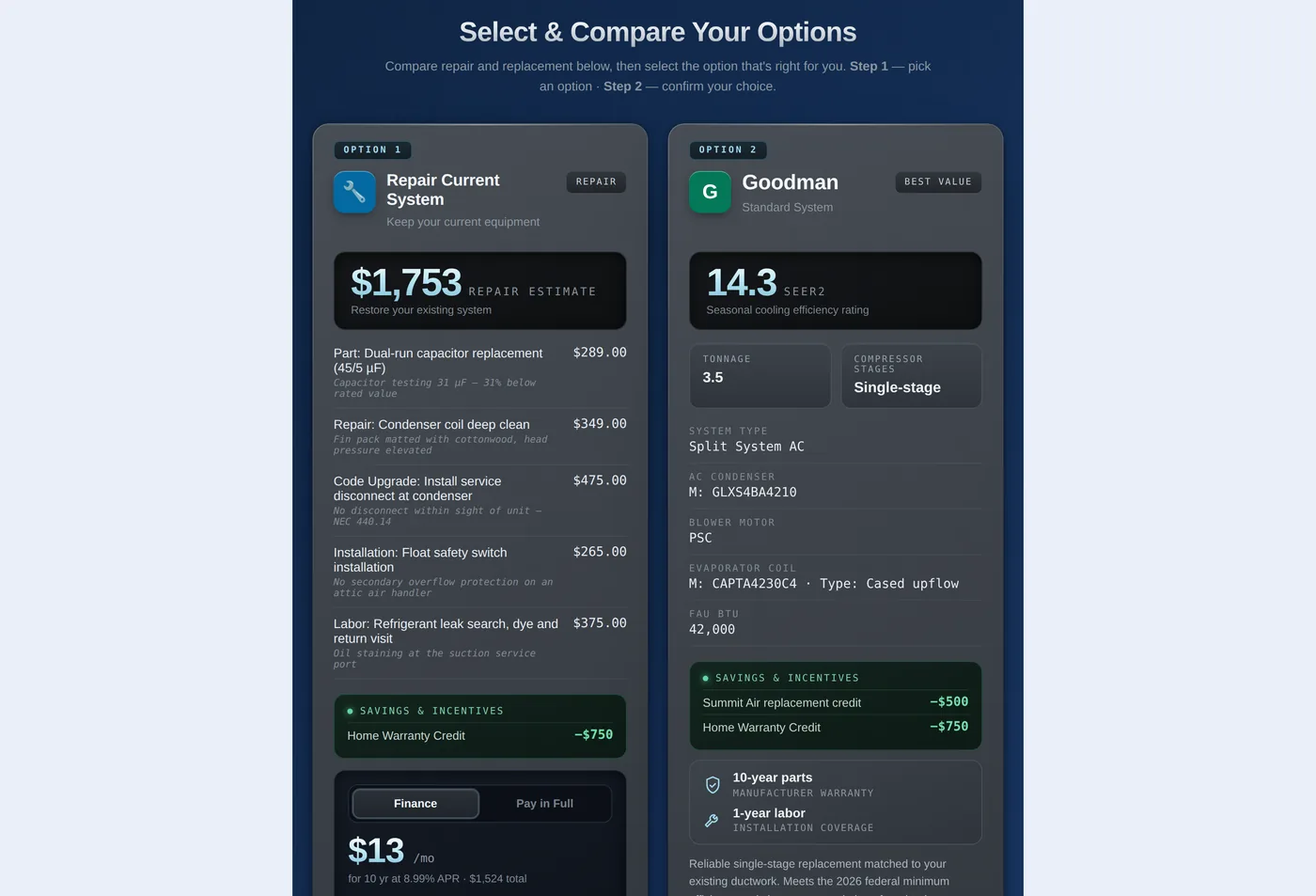
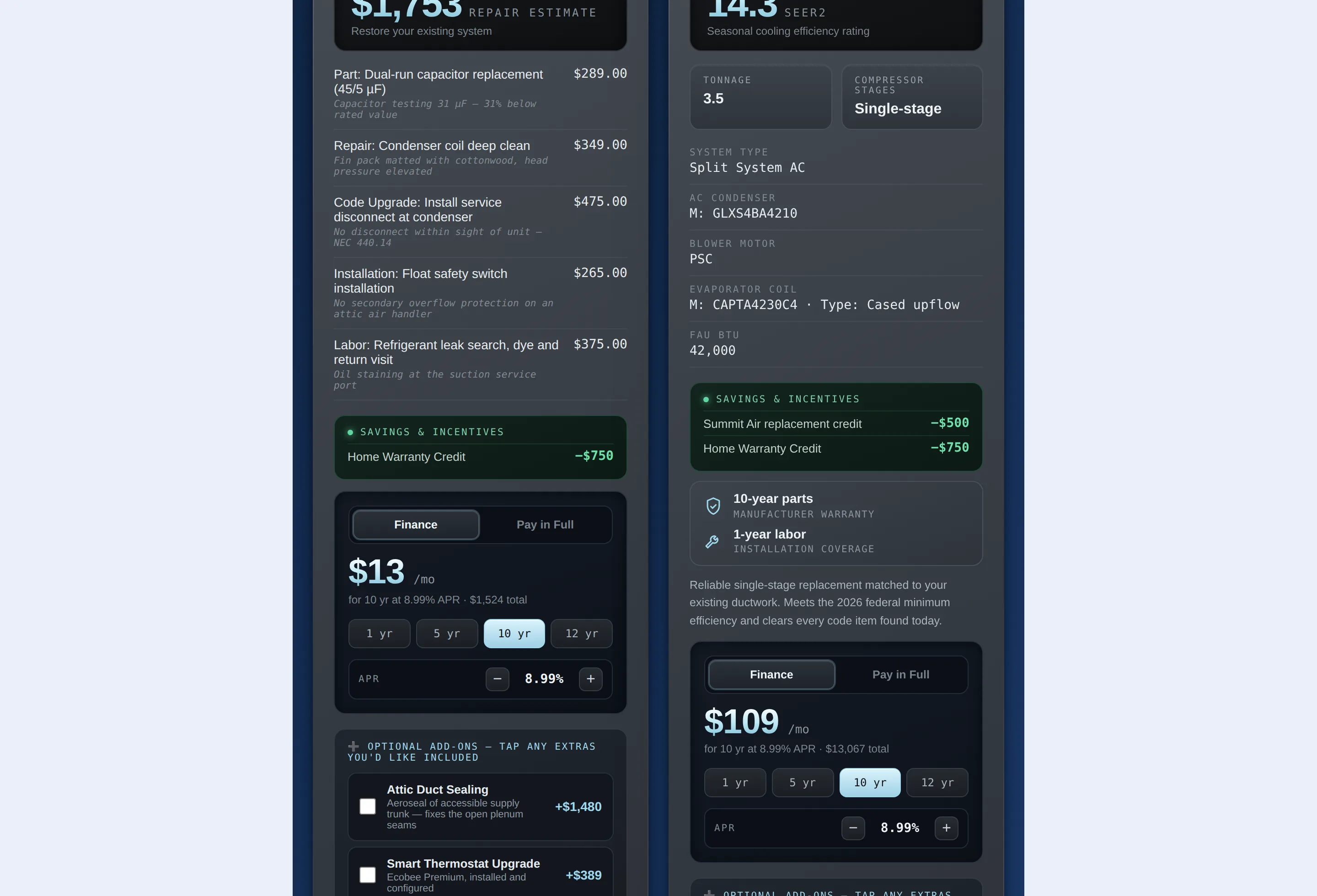
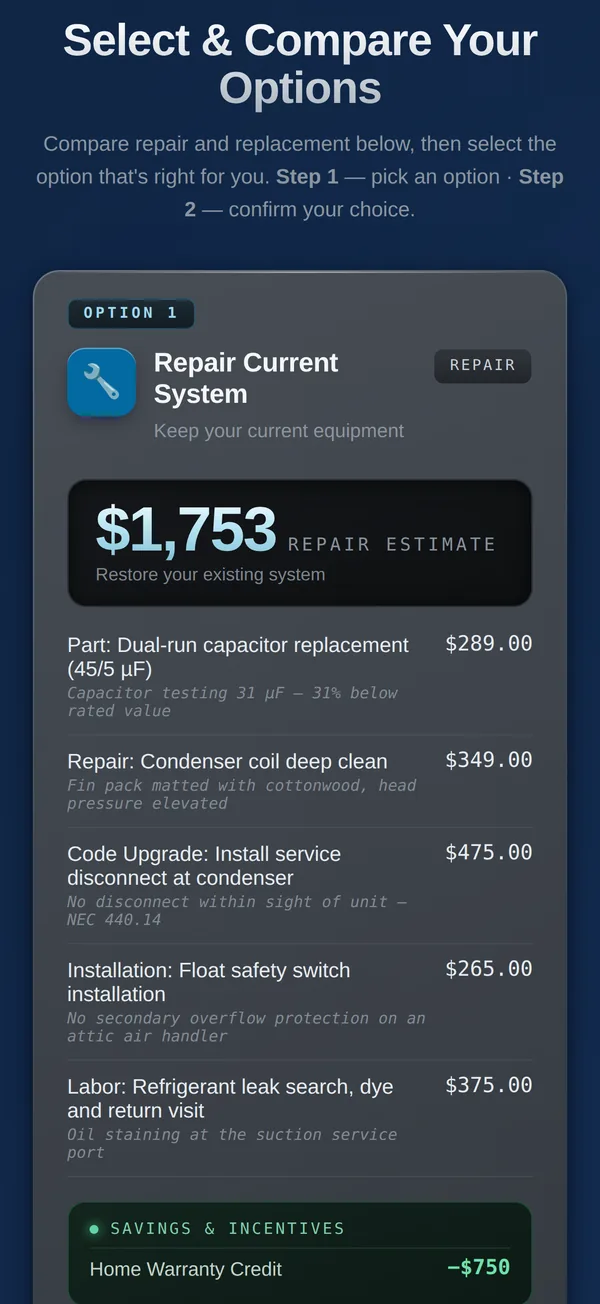
Build the options once and the customer compares them on their own phone — itemized repair lines, savings and credits applied, financing at your APR, and optional add-ons they can tick on themselves.
- Itemized parts, repair, code upgrade, installation and labor
- Financing terms and APR you control, monthly payment calculated live
- Optional add-ons the customer can add before selecting
Their answer comes back to you
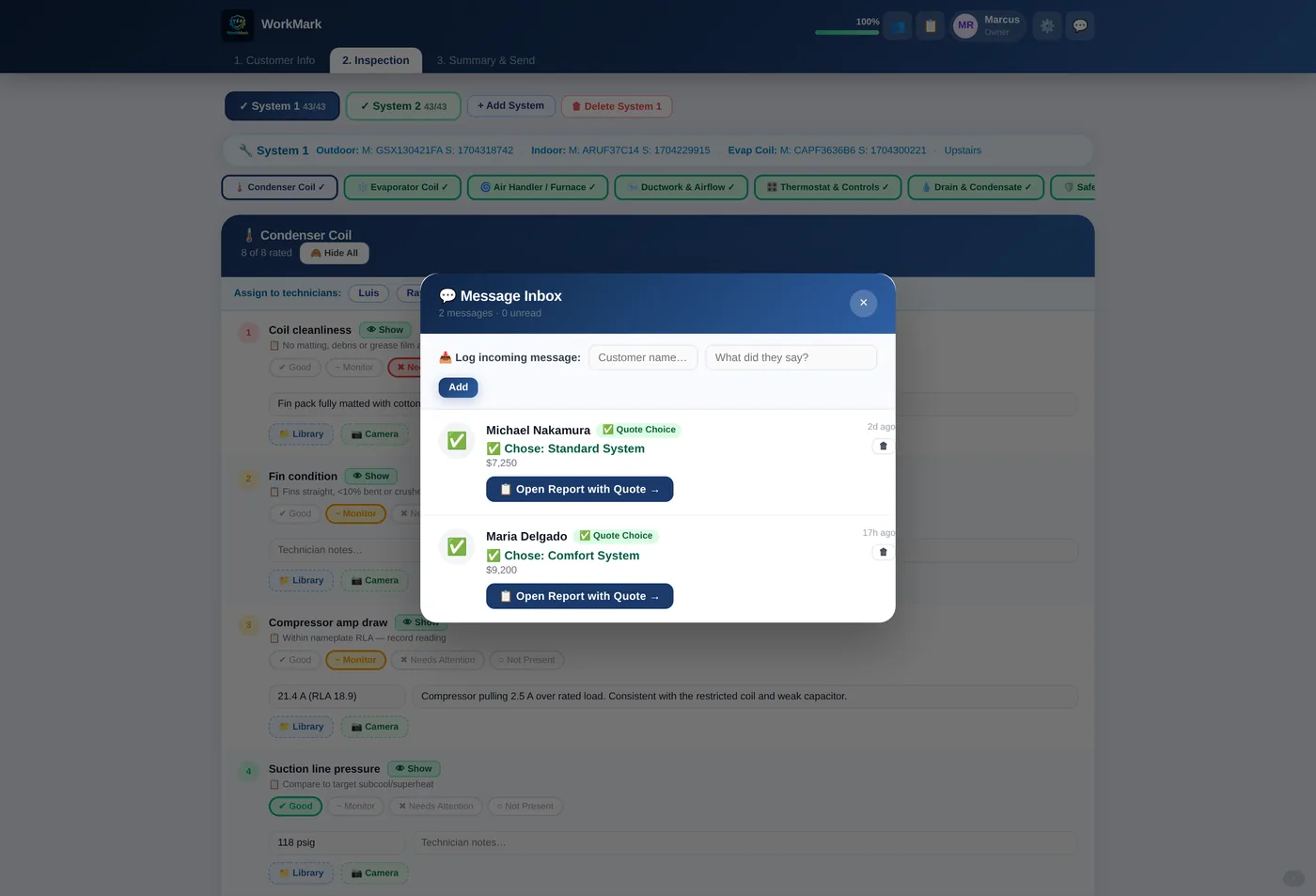
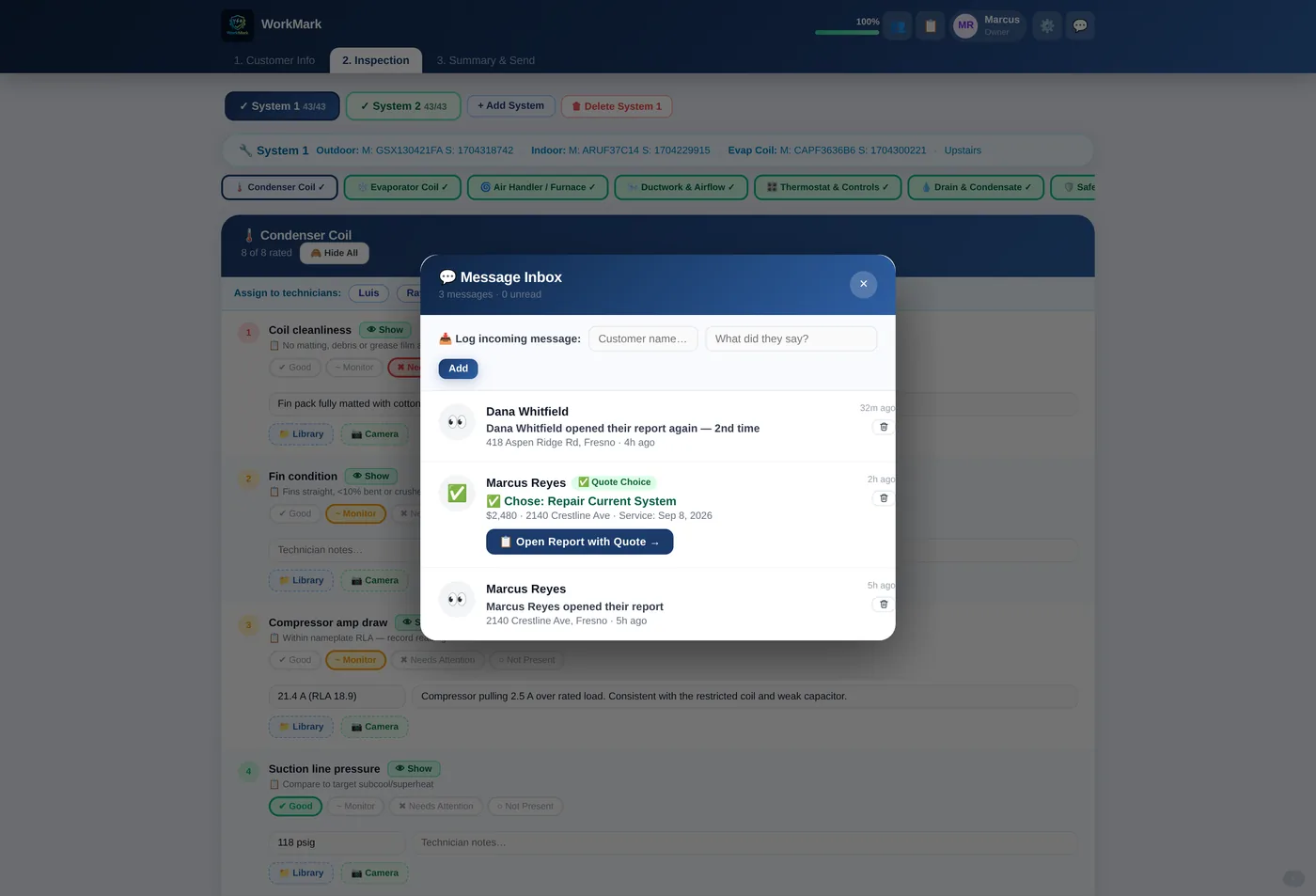
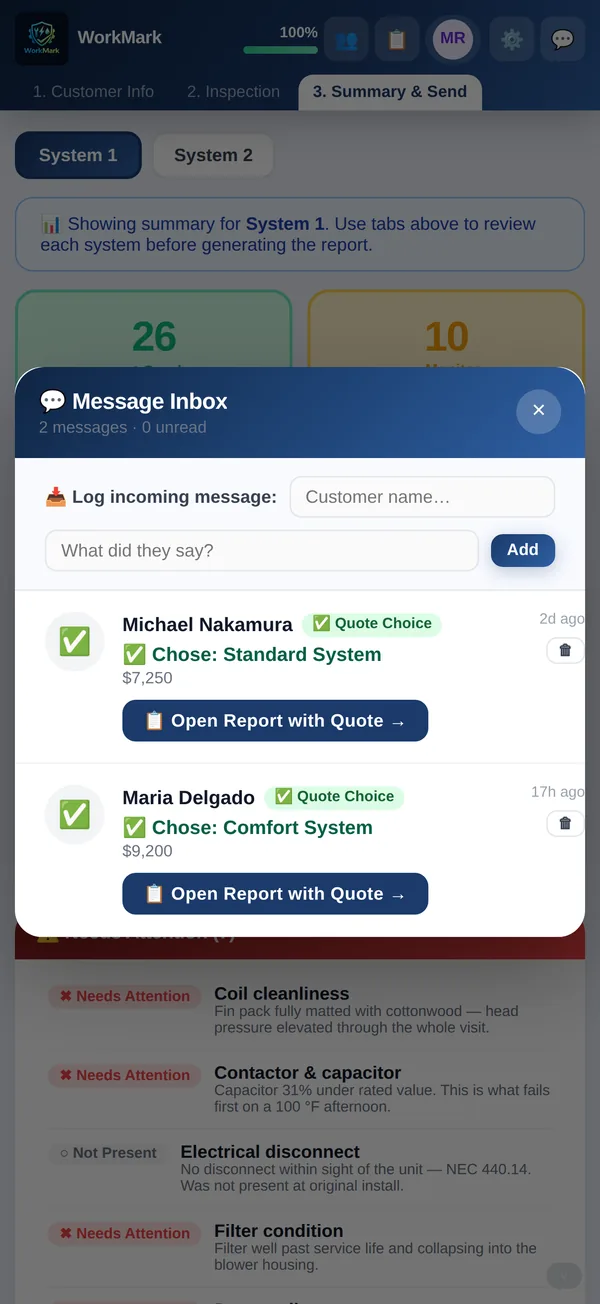
The customer taps the option they want, and a notification lands in your inbox with the system they chose and the price they accepted. One tap opens that report with the quote on it. No chat window to keep an eye on, and nobody chasing them for an answer.
- Notification carries the chosen system and accepted price
- Open the report with that quote in one tap
- Log a call or text against the job so nothing lives in a personal phone
You know the moment they open it
A sent quote used to be a black hole until the customer rang back. Now the moment they open the report a message lands in your inbox, with the address and the time — and if they come back to it next week, you get that too, with the count. Chasing stops being guesswork.
- “Opened their report” the moment they read it — and again, with the count, each time they come back to it
- A person, not a scanner — a warranty company’s automatic link check never counts as an open, and your own previews are excluded
- If it reached the wrong person, “this isn’t my address” comes straight back to you instead of silence
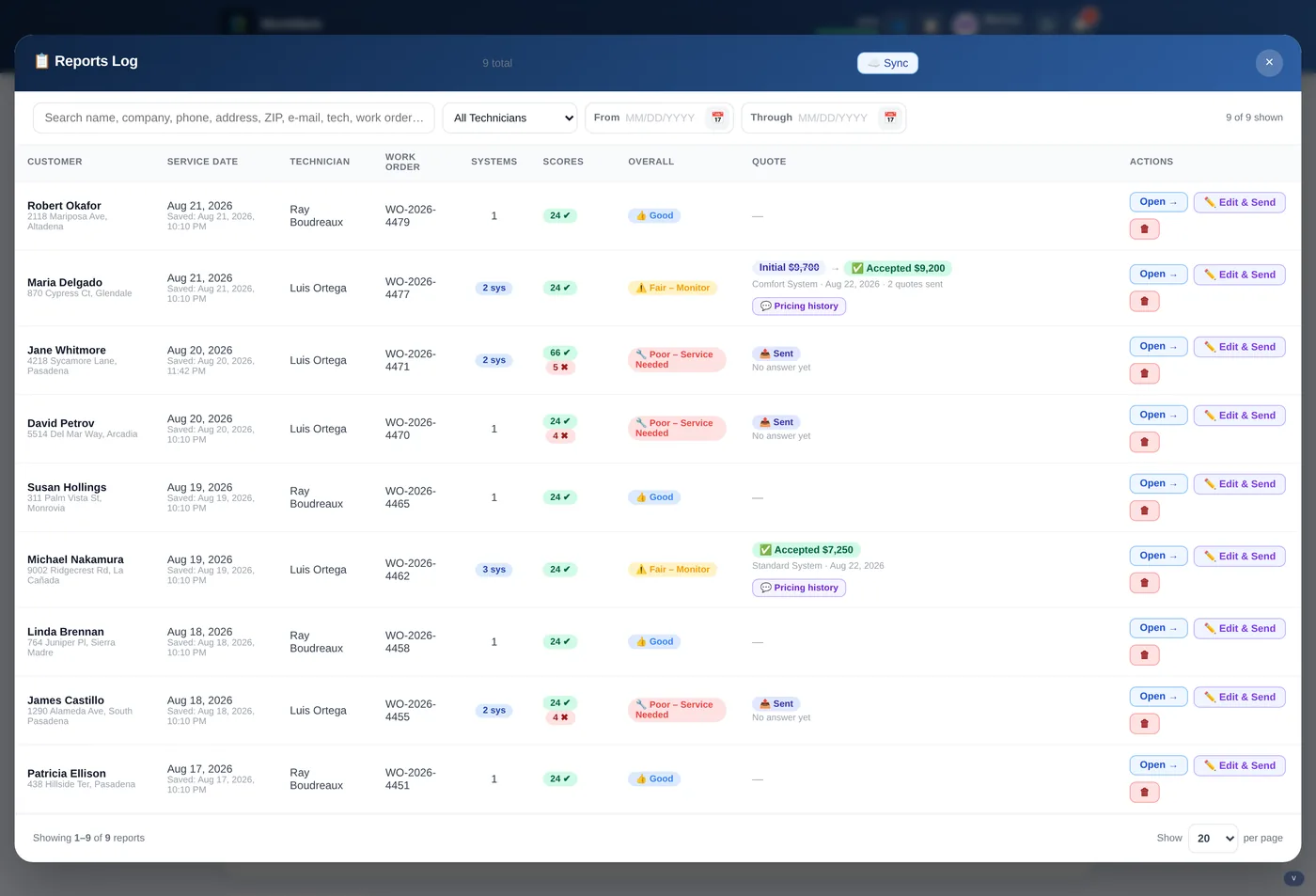
- Every job in the reports log says whether it was opened, only delivered, or still untouched
No paper coming back from the truck
Nothing gets written on a clipboard and re-typed into the CRM later. The report is logged the moment the tech finishes it — and the whole thing copies into the CRM you already use in one click. Search by name, address, phone, ZIP, tech or work order.
- Copy a full report into your existing CRM in one click
- Initial vs. accepted price with full pricing history
- Filter by technician and date range, open and re-send any report
Home warranty work, handled
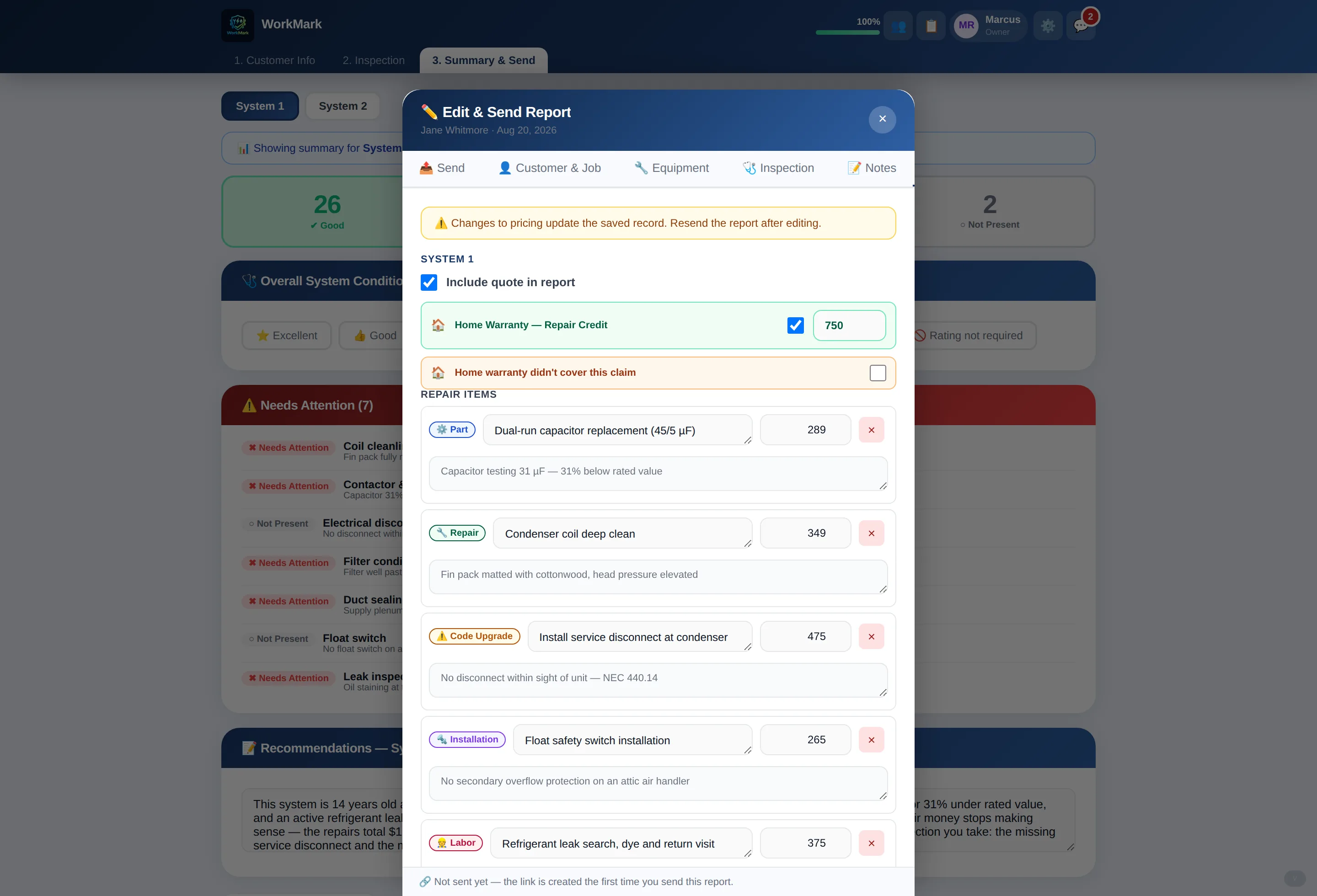
If you take home warranty jobs, the credit goes right on the quote — the customer sees what the warranty covers and what is left to pay, in the same view. When a claim gets declined, mark it and the numbers adjust.
- Repair credit applied as a visible line on the customer quote
- Flag the claims the warranty did not cover
- Credits and incentives roll into the total the customer approves
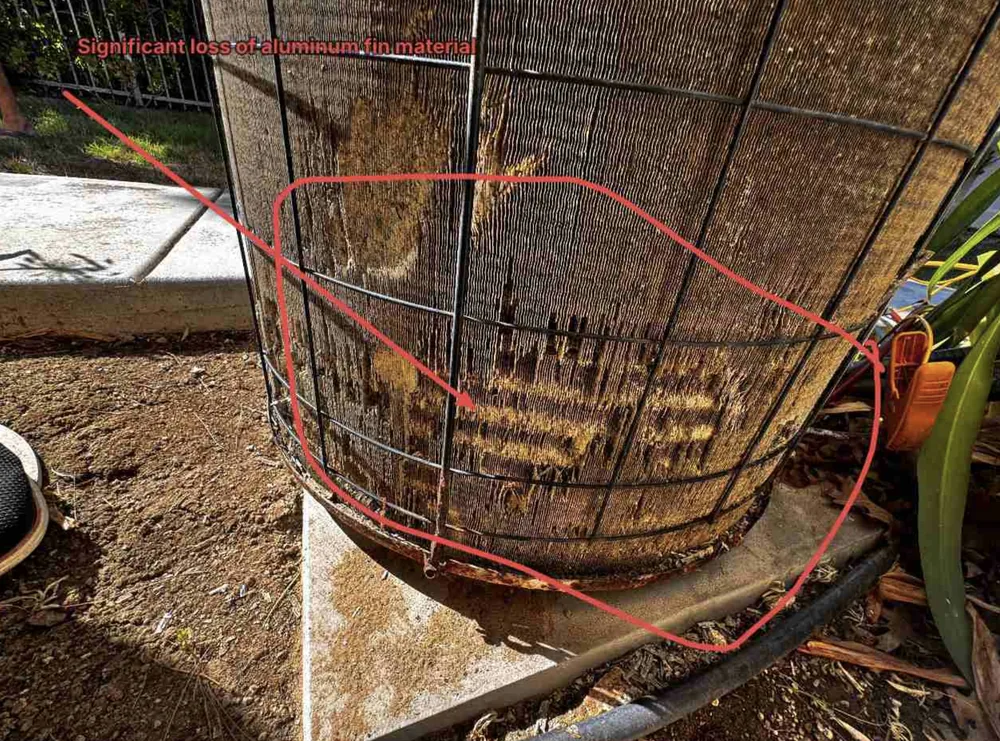
Mark up the photo on the spot
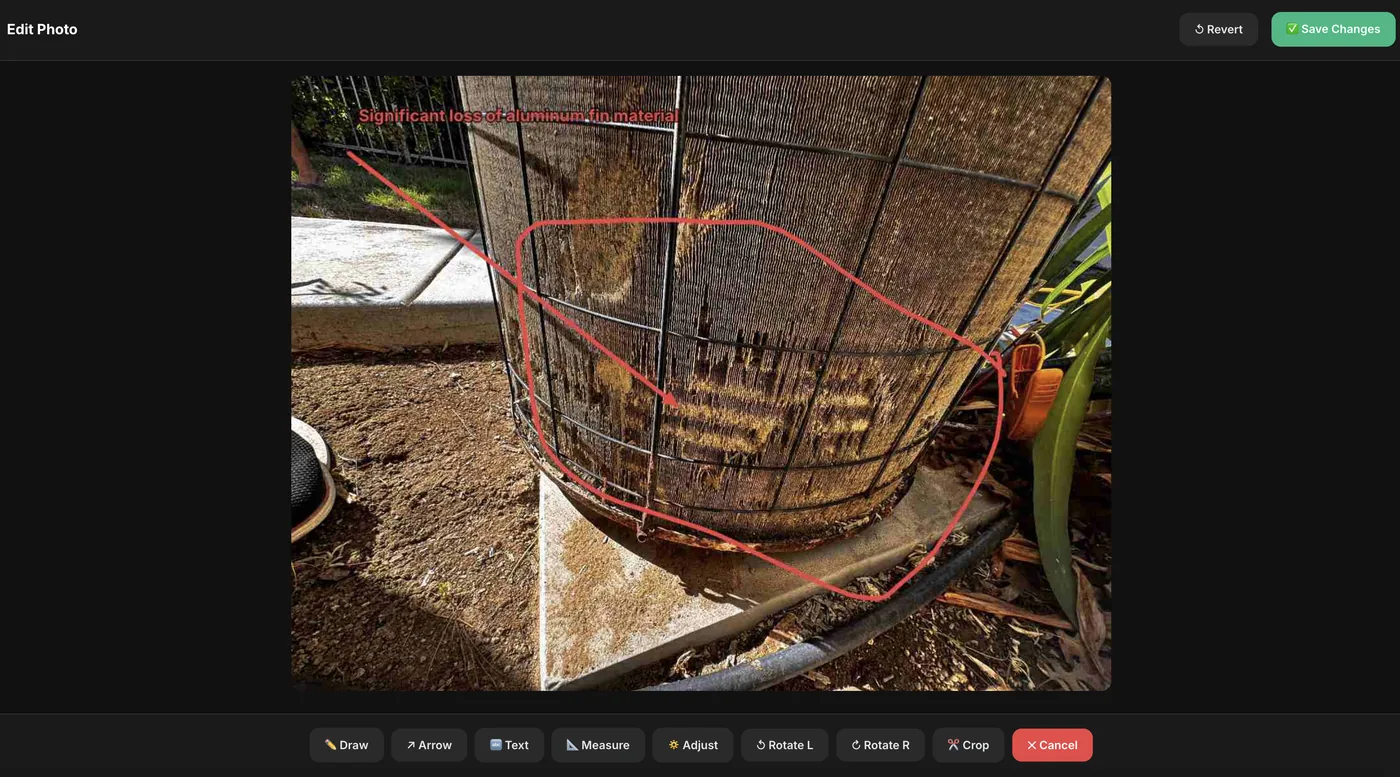
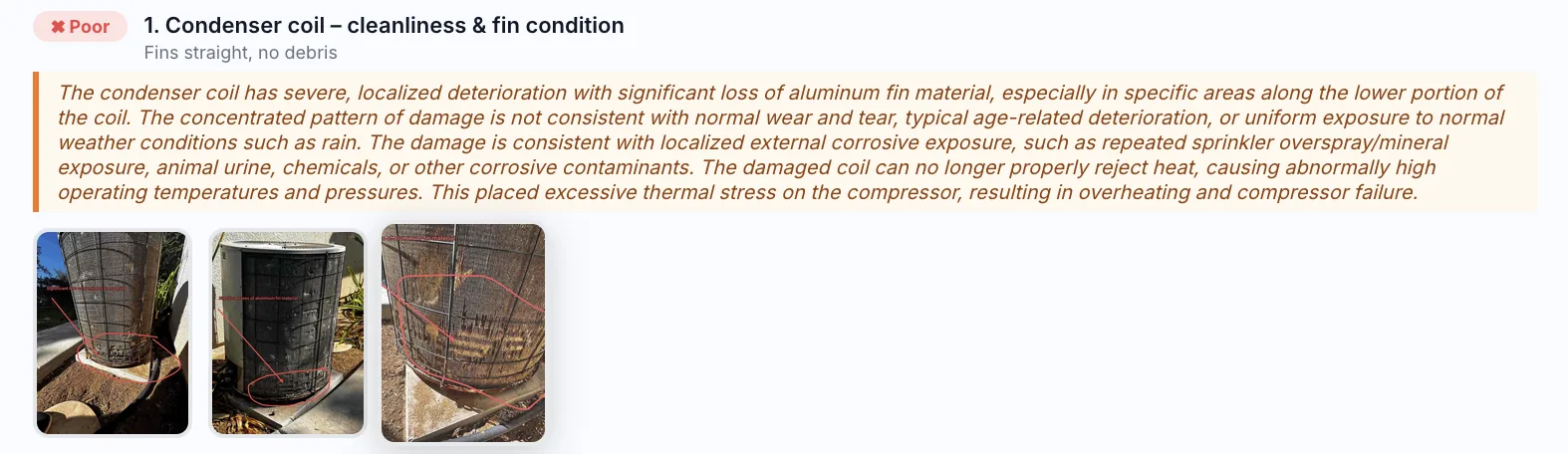
Draw, arrow, text, measure — straight on the picture, before you leave the pad. So "significant loss of aluminum fin material" is something the customer can actually see, not a phrase they have to trust.
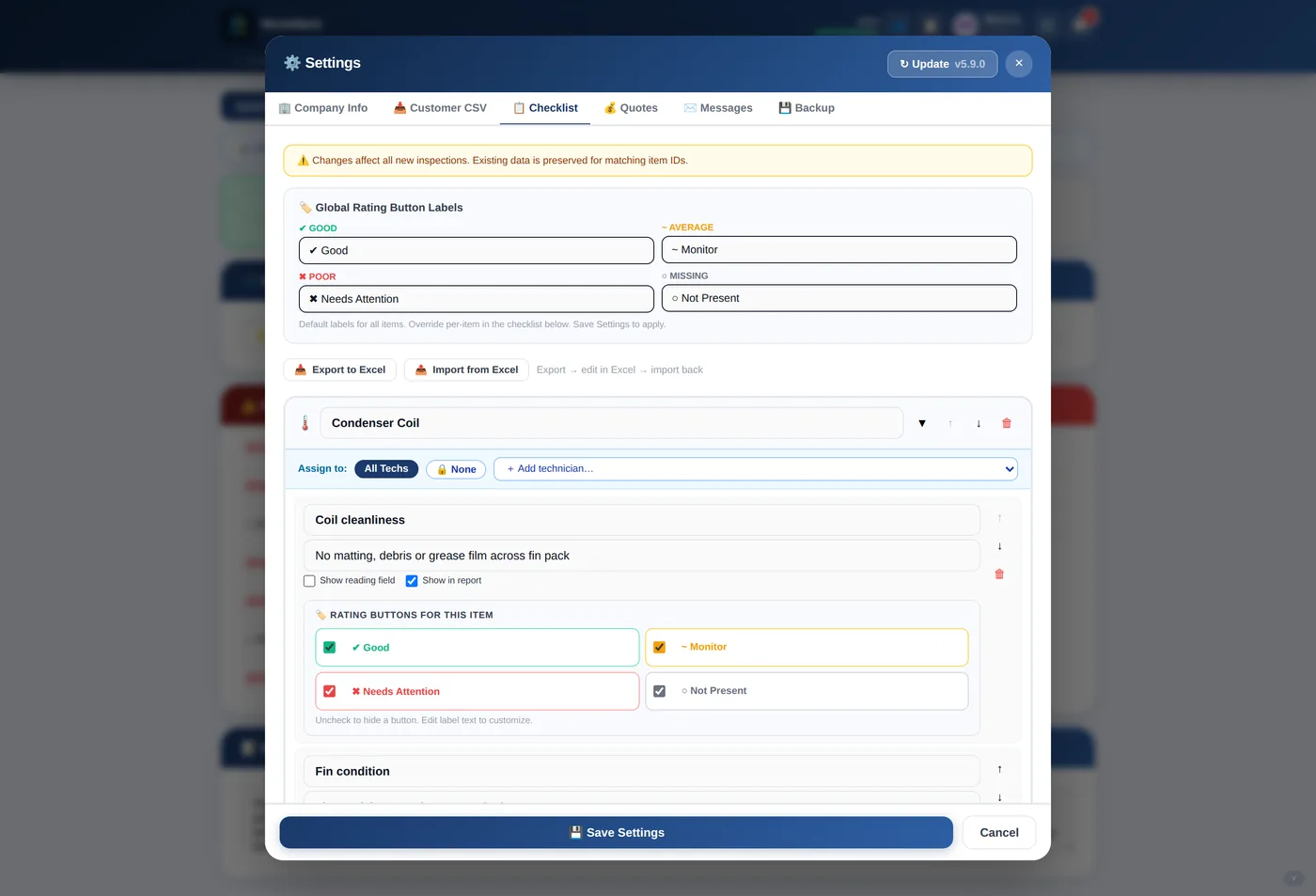
Set the checklist up once, for how your shop works
Rename sections, add or remove items, decide which ones take a reading and which appear on the customer report. Rating labels are yours to word — export to Excel, edit, import back.
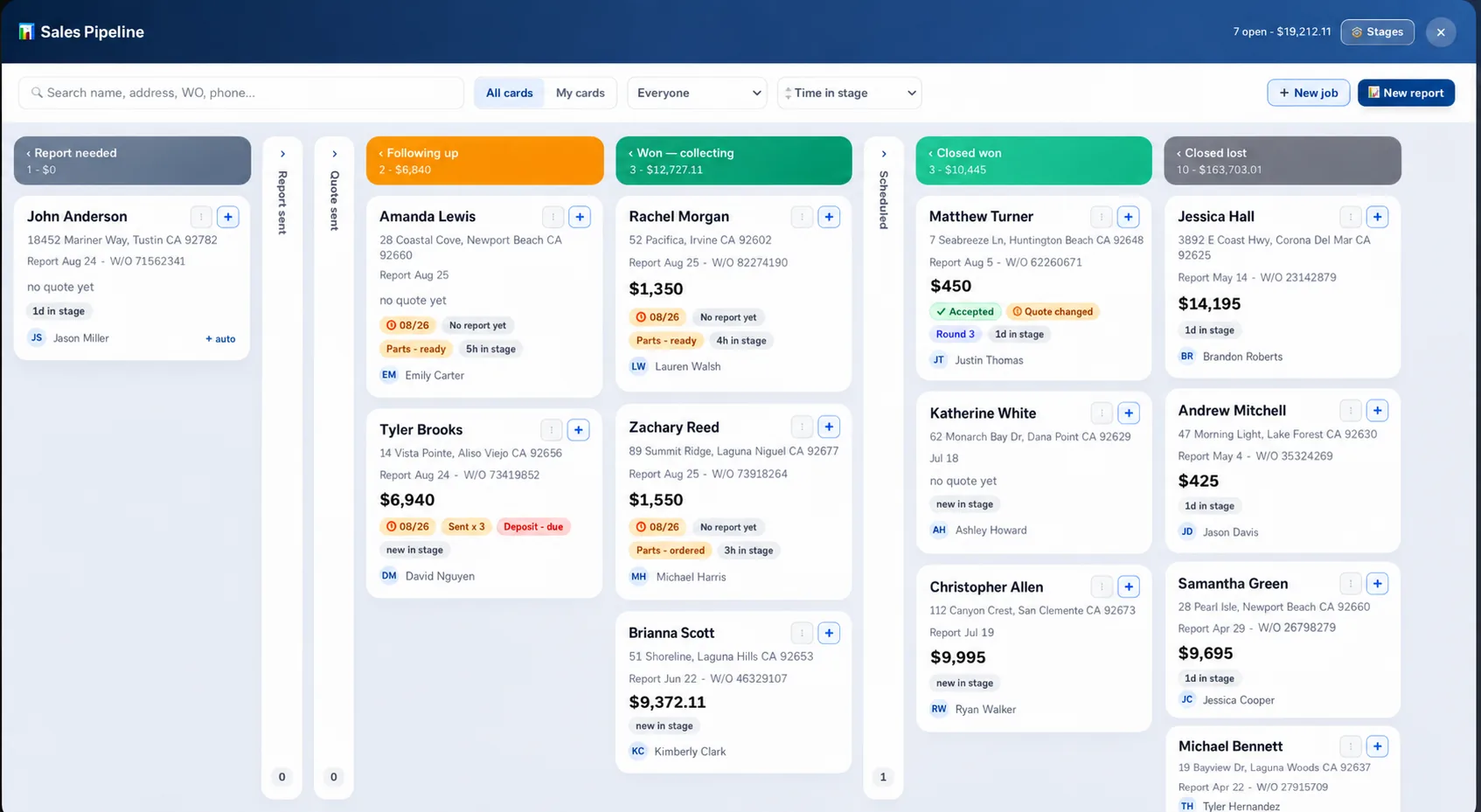
Know what is worth chasing today.
Every inspection becomes a card on a board. Filter by tech, sort by time in stage, and see open value per column — so quotes stop going quiet and nobody has to keep the follow-up list in their head.
Stages you name yourself
Report needed, quote sent, following up, won — collecting, scheduled, closed. Rename them, reorder them, add your own.
Dollars on every column
Each stage carries its own count and total, so you can see where the open work is actually sitting.
Cards that tell you what is late
Follow-up date, send count, parts status, deposit due, and how long a job has been stuck in the stage.
Drag a job forward
Move a card and the job moves with it — report, quote and accepted price all travel together.
From truck to accepted quote in four steps.
Load the customer
Search the database by name, address or phone. Past inspections come with them, so you already know the history on that unit.
Run the inspection
Work the checklist section by section. Rate each item, log the reading, add a photo. Add a second or third system if the site has one.
Build the quote
Summary shows what needs attention. Turn those findings into repair lines and a replacement option, with financing and add-ons.
Send and get an answer
Email or text the report. The customer compares options, taps one, and their choice lands in your inbox.
The report they open is the reason they say yes.
One link, sent by email or text. Your branding at the top, every finding with the photo behind it, and the options priced out at the bottom — readable on a phone at the kitchen table.
Built for a phone in a hot attic.
Big targets, one-column layout, and nothing that needs a mouse. Install it to the home screen and it opens full-screen with no browser bar.
Every feature on every plan.
The only thing that changes is how many people you put on it. 14-day free trial — card required, nothing charged until day 15, cancel any time before then.
An owner-operator and the person who books the work.
Every WorkMark feature included.
Start free trialA shop running a crew — techs, dispatch and the office.
Every WorkMark feature included.
Start free trialMulti-crew companies and commercial accounts.
Every WorkMark feature included.
Start free trialNeed one more tech?
Add a seat on any plan — no upgrade, no call. Take it off again when the season ends and the charge stops with it.
Included on Truck, Shop and Fleet
- Sales pipeline board
- Configurable inspection checklist
- Unlimited inspections and reports
- Multi-system jobs
- Quotes with options and add-ons
- Financing terms and APRs you set
- Home warranty credits on quotes
- Quote-choice inbox notifications
- Know when the customer opens the report
- Photo markup on findings
- Branded reports and PDFs
- Reports log with pricing history
- One-click copy to your CRM
- Customer database and CSV import
- Team roles and permissions
- Full data backup and restore
Built by HVAC people, for HVAC people.
WorkMark exists because software kept treating HVAC like generic "field service." Every field, every default, every workflow is modeled on how a real service call actually runs — built by a small team that ships fast and listens to techs.
Runs in the browser. Installs like an app.
Nothing to download from a store. Open WorkMark once, add it to the home screen, and it opens full-screen with its own icon, and it updates itself.
iPhone & iPad
- Open WorkMark in Safari
- Tap the Share button
- Choose Add to Home Screen
Camera, photo markup and offline drafts all work from the home-screen icon.
Open WorkMarkAndroid
- Open WorkMark in Chrome
- Tap Install app in the menu (or the prompt)
- It lands on your home screen
A downloadable APK is on the way for shops that prefer to install from a file.
Open WorkMarkDesktop
- Open WorkMark in any browser
- Sign in with Google — a new company is set up for you
- Install from the address bar if you want an icon
The office side — reports log, pipeline, quotes and team roles — is built for a full screen.
Open WorkMarkYour next service call, signed off on time.
Start your 14-day free trial. Your first report takes 90 seconds.